Introduction
Few interface elements in Android are as universally used as the media player. Over the years, Google has periodically refreshed its look and functionality, and the latest iteration in Android 17 QPR1 Beta 3 introduces a notable change: the media player carousel has been redesigned with a card-based layout. This update focuses on how users switch between multiple active media apps, aiming to streamline the experience while introducing a visual overhaul.
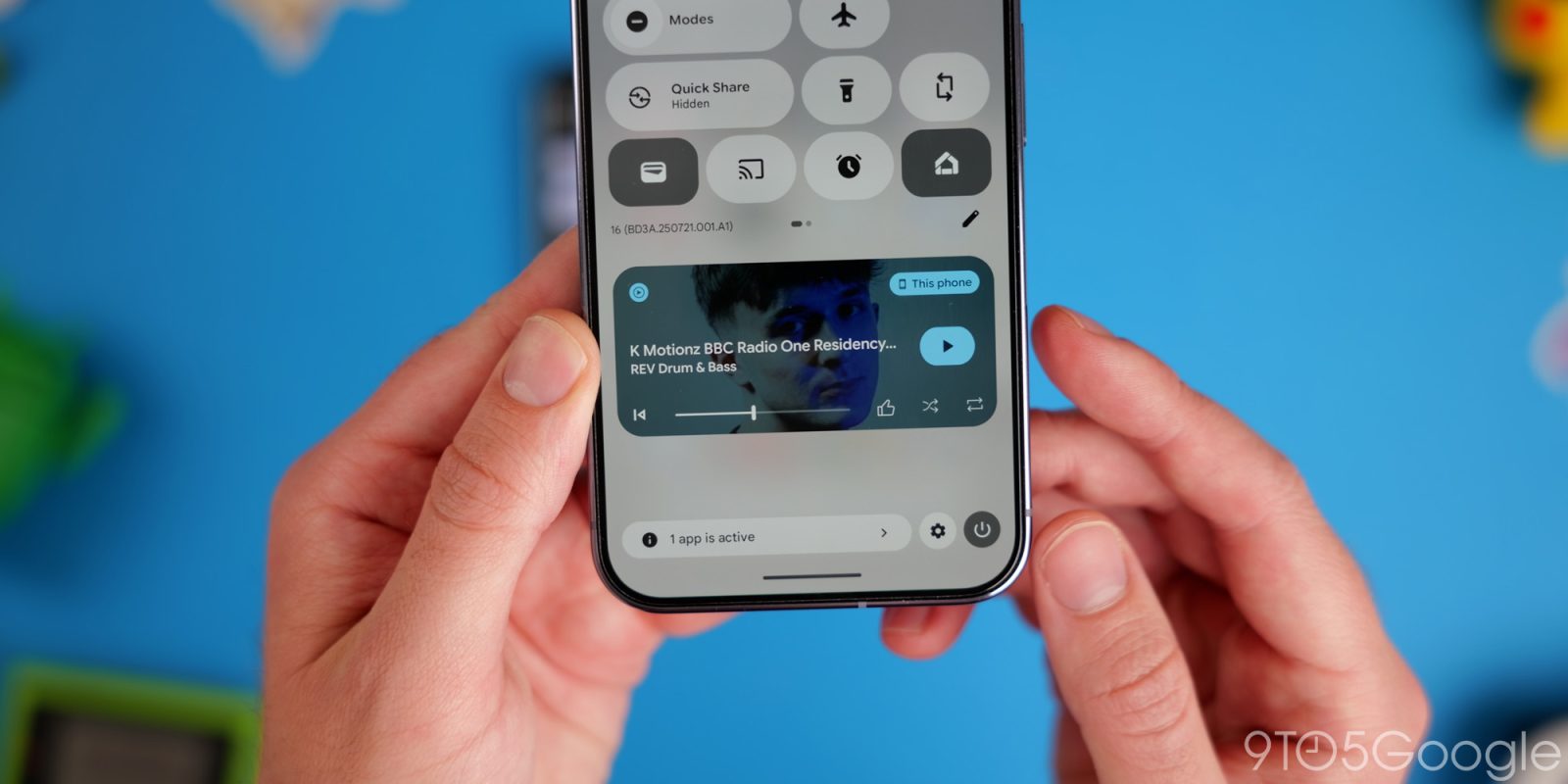
What Changed in the Media Player Carousel?
Previously, Android’s media player displayed a simple horizontal list or a compact carousel of active media sessions. Tapping through them could feel cluttered, especially when multiple apps like Spotify, YouTube Music, and Podcasts are running simultaneously. In QPR1 Beta 3, Google replaces the old carousel with distinct, card-like tiles for each media app. Each card shows the app icon, playback controls, and ongoing track or podcast information in a more spacious and glanceable format.
Card-Based Design Details
The new design leverages Material You principles: rounded corners, dynamic color extraction from the wallpaper, and larger touch targets. Users can now swipe between cards horizontally, and each card remains clearly separated, reducing the risk of accidental taps. The play/pause, next, and previous buttons are placed consistently across all cards, making muscle memory easier to maintain.
Why Google Chose a Card-Based Approach
Google’s motivation appears to be twofold: visual clarity and ease of multitasking. With the old carousel, users had to precisely tap small icons or swipe through a thin strip. The card-based layout gives each media source its own visual real estate, which is particularly beneficial on larger screens like tablets or foldables. It also aligns with the broader trend in Android toward modular, component-based UI elements.
Impact on Multitasking
Switching between apps like a music player and a podcast app now feels more deliberate. The cards display the album art or podcast cover image prominently, making identification faster. Early testers report that the new carousel reduces the cognitive load when jumping between multiple audio sources, though some miss the compactness of the previous design.
Navigating the New Carousel
To access the card-based carousel, users can pull down the Quick Settings panel or open the notification shade. The media player section now occupies a larger area, but it can still be collapsed if needed. Swiping left or right on the carousel moves between cards, and tapping a card brings that app to the foreground. Long-pressing a card offers additional options like “Open app” or “Cancel” the session.

Potential Downsides
While the redesign is generally welcomed, it does consume more vertical space. On phones with small screens, the media player can crowd out notifications. Google may address this in future updates by allowing users to minimize the carousel to a single line. Additionally, users who rely on quick access to a specific app might find the card arrangement less efficient if they have many active sessions.
Comparison with Prior Versions
In Android 16, the media player carousel used a strip-style layout with smaller album art and controls. The new card-based approach is a significant departure, offering larger, more readable elements. However, the core functionality—controlling playback and switching apps—remains unchanged. This update is purely a visual and interaction refinement, not a functional rework.
Conclusion
Android 17 QPR1 Beta 3’s card-based media player carousel represents a thoughtful evolution of a fundamental UI component. It balances aesthetics with usability, making multitasking between audio apps more intuitive. While there are some trade-offs in space efficiency, the overall feedback from beta testers is positive. As the final QPR1 release approaches, Google may fine-tune the design based on user input, but for now, this redesign sets a new standard for media control in Android.
Note: This update is currently available in QPR1 Beta 3 for Pixel devices; public rollout is expected later this year.